



GUIDES/101
Published on Mar. 4th 2026
Understanding 3D File Formats: A Complete Guide for Designers, Engineers, and 3D Enthusiasts
Learn everything about 3D file formats for scanning, printing, modeling, and inspection. Explore point clouds, meshes, and CAD files, their purposes, and how to choose the right format for reverse engineering, 3D workflows, and quality inspection.
When working with 3D scanning, modeling, or inspection, the file format you choose matters more than you might expect. Why does a scanned part look perfect in one software, but lose details in another? Why can some 3D files be used for inspection or 3D printing, while others are better suited for CAD or web visualization?
The answer lies in 3D file formats. Each format serves a specific purpose in 3D workflows, from capturing real-world geometry to preparing models for printing, inspection, or digital visualization. Here’s an overview of the most common formats and their typical uses:
|
Purpose |
Recommended Format(s) |
Notes |
|
3D Scanning |
ASC / PLY / LAS |
ASC for raw data, PLY or LAS for detailed point clouds |
|
3D Printing |
STL / 3MF |
STL for simplicity, 3MF for full-color prints |
|
Engineering Design |
STEP / Parasolid / IGES |
Preserve design intent and parametric data |
|
Quality Inspection |
STL / P3 |
STL for comparison, P3 for automation |
|
Web & AR |
GLB / USDZ |
Lightweight and optimized for real-time rendering |
This table gives you a quick overview of which 3D file formats are most suitable for different applications. In the following sections, we’ll explore each type in more detail, focusing on point cloud, mesh, and CAD formats to help you choose the right file for your workflow.
Point Cloud Data: Capturing Real-World Geometry
In 3D scanning workflows, the first output of a 3D scanner is usually a point cloud—a dense collection of points that captures the exact geometry of a real-world object. Point cloud data forms the foundation for 3D scanning workflows, enabling inspection, reverse engineering, mesh reconstruction, and digital archiving.
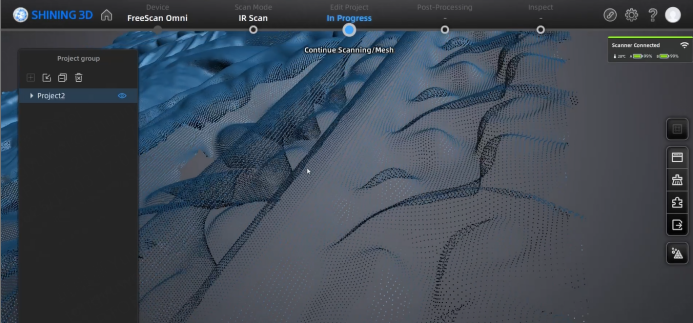
Point Cloud Data
PLY (.ply) — The Most Common Colored Point Cloud Format
PLY is widely used in 3D scanning because it supports both point clouds and meshes, along with color and other attributes. PLY offers a practical balance between data richness and usability, making it one of the most common point cloud formats.
- Strengths: Color-rich, versatile, widely supported
- Typical uses: Object digitization, cultural heritage scanning, and inspection workflows
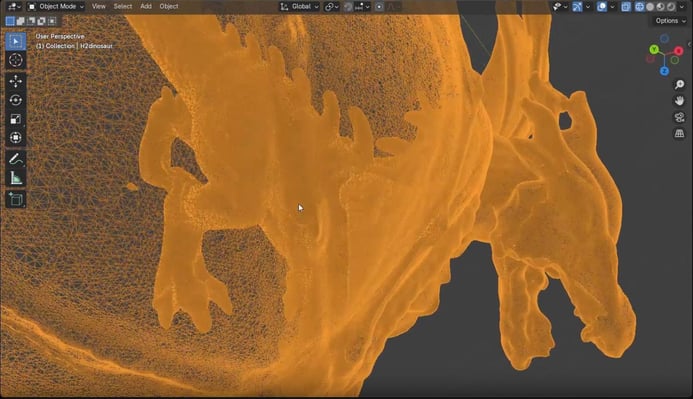
Dinasour.ply
LAS (.las) — Standard for Large-Scale and Georeferenced Scans
LAS is the industry standard for large-scale point cloud data, especially in surveying and mapping. It is best suited for large environments rather than small parts.
- Strengths: Efficient for millions of points; supports georeferencing, intensity, and GPS data
- Typical uses: Terrain mapping, infrastructure inspection, and BIM integration
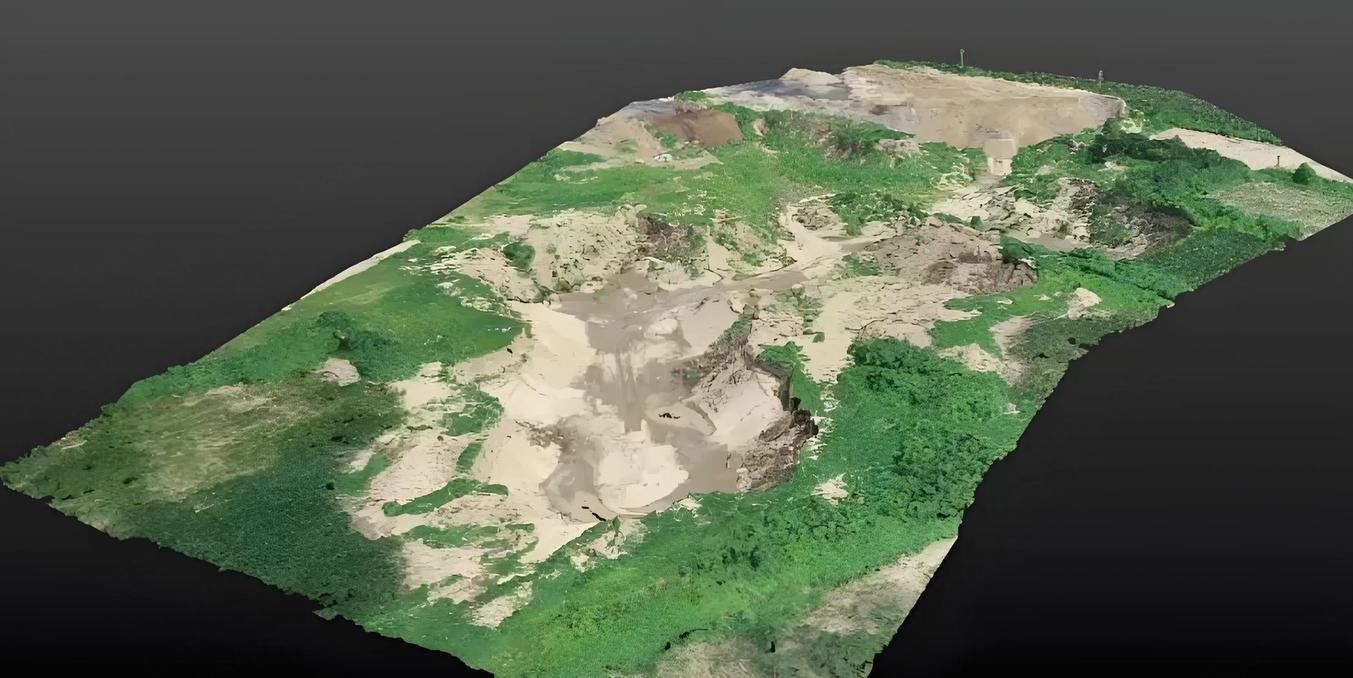
Surveying.las
Other Raw Point Cloud Formats (ASC / XYZ / TXT)
ASCII-based formats store raw scan points as text coordinates.
- Strengths: Simple, universal, easy to exchange
- Limitations: Large file sizes; often converted into optimized formats for processing
- Typical uses: Intermediate data storage, archival, or small-scale scanning
Point Clouds vs Meshes: Understanding the Difference
In 3D scanning workflows, data usually starts as a point cloud. While point clouds faithfully record geometry, they are not always easy to manipulate or visualize. That’s where meshes come in.
Meshes connect points into polygons, creating a continuous surface that is ready for 3D printing, visualization, or further processing. In simple terms, point clouds capture reality, while meshes describe surfaces. Understanding the difference between point clouds and meshes is essential for tasks like inspection, reverse engineering, and digital manufacturing, ensuring that your 3D data flows smoothly from scanning to practical applications.
Mesh File Formats: Surfaces Ready for 3D Applications
After capturing a point cloud, the next step is often creating a mesh. Meshes connect points into polygons—usually triangles—to define the surface of an object. They are easier to visualize, manipulate, and integrate into 3D printing, inspection, reverse engineering, and visualization workflows.
Mesh formats make scanned data usable for practical applications, bridging the gap between raw measurement and actionable results.
STL (.stl) — The Default for Manufacturing and Inspection
STL is the most widely used mesh format in 3D scanning and 3D printing workflows. It represents an object’s surface geometry with triangles, without storing color or material information.
- Strengths: Lightweight, simple, and universally supported
- Typical uses: 3D printing, dimensional inspection, CAD comparison
Despite its simplicity, STL remains a core format in industrial 3D workflows, especially when geometry accuracy is more important than visual detail.
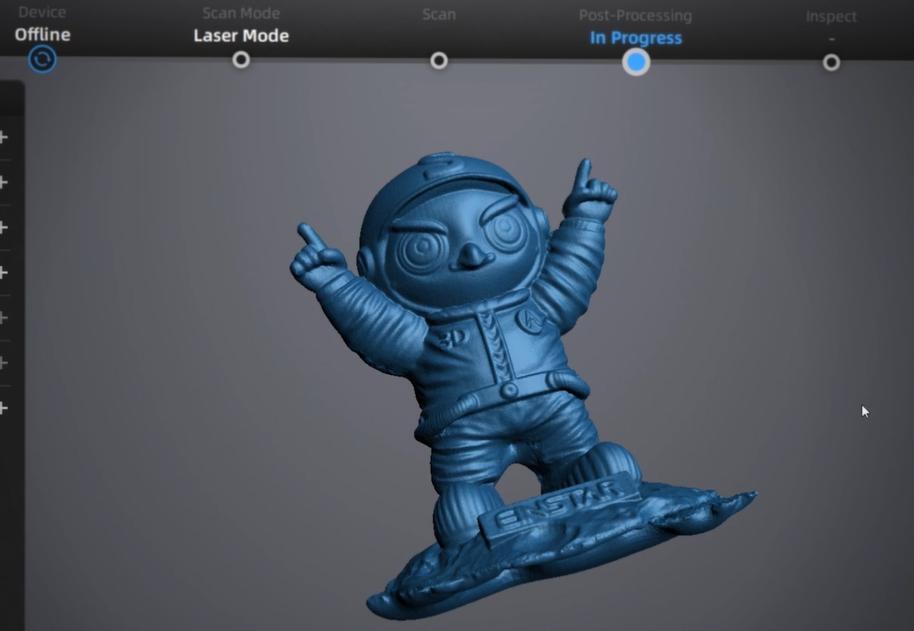
SHINING mascot. stl
OBJ (.obj) — Mesh with Texture Support
OBJ stores geometry along with texture coordinates and material references, making it suitable for visualization and software exchange.
- Strengths: Supports color and textures; widely compatible
- Typical uses: Rendering, animation, e-commerce 3D previews, and cross-platform data exchange
OBJ is often preferred when appearance matters alongside geometry.
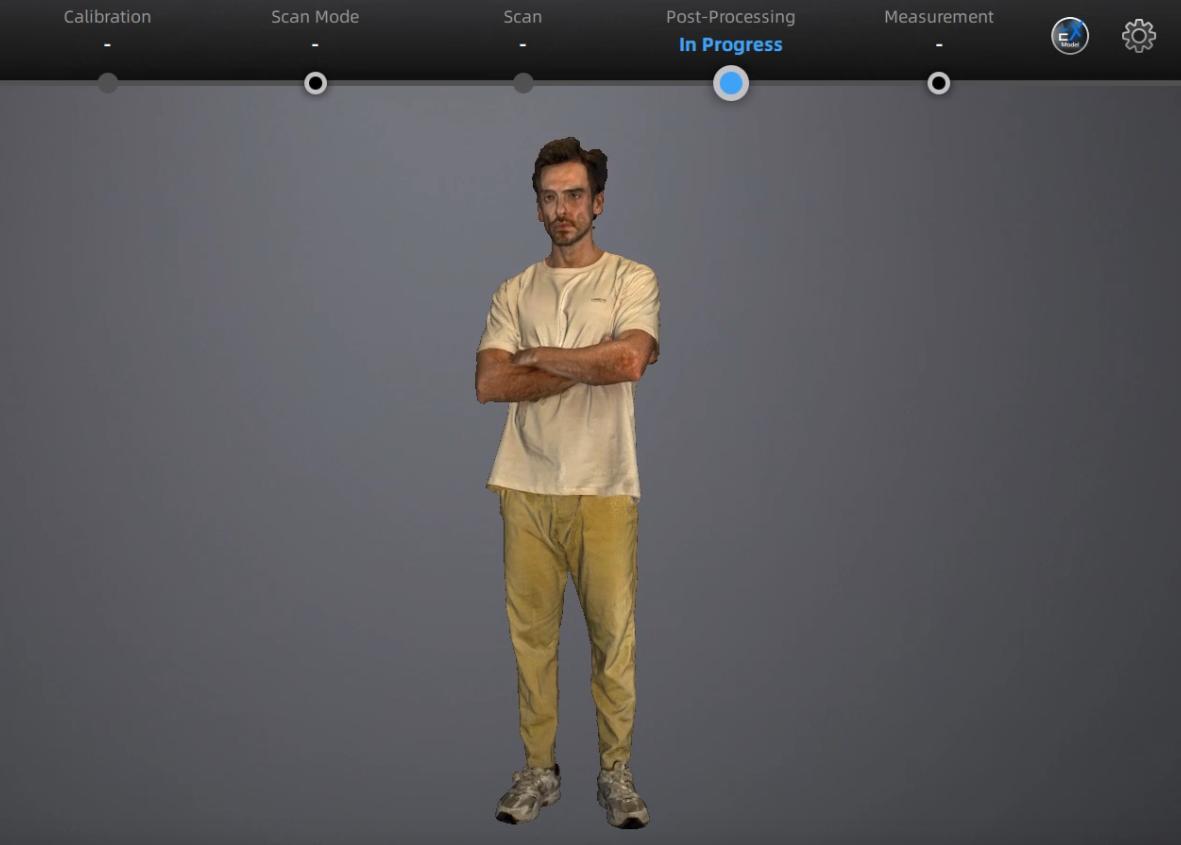
Human.obj
Other Mesh Formats (3MF, GLB / glTF)
Some mesh formats are optimized for specific applications:
- 3MF — Modern 3D printing with full color and material data
- GLB / glTF — Lightweight, fast-loading meshes for web, mobile, and AR/VR
These formats are powerful for their niches but are less common in industrial inspection or measurement workflows.
From Scanned Meshes to CAD: Understanding Design Data
While point clouds capture measured reality and meshes define surfaces for practical applications, CAD (Computer-Aided Design) files serve a different purpose: they represent the design intent of an object. CAD files store parametric data, dimensions, constraints, and assembly relationships, enabling engineers to edit, simulate, and manufacture designs with precision.
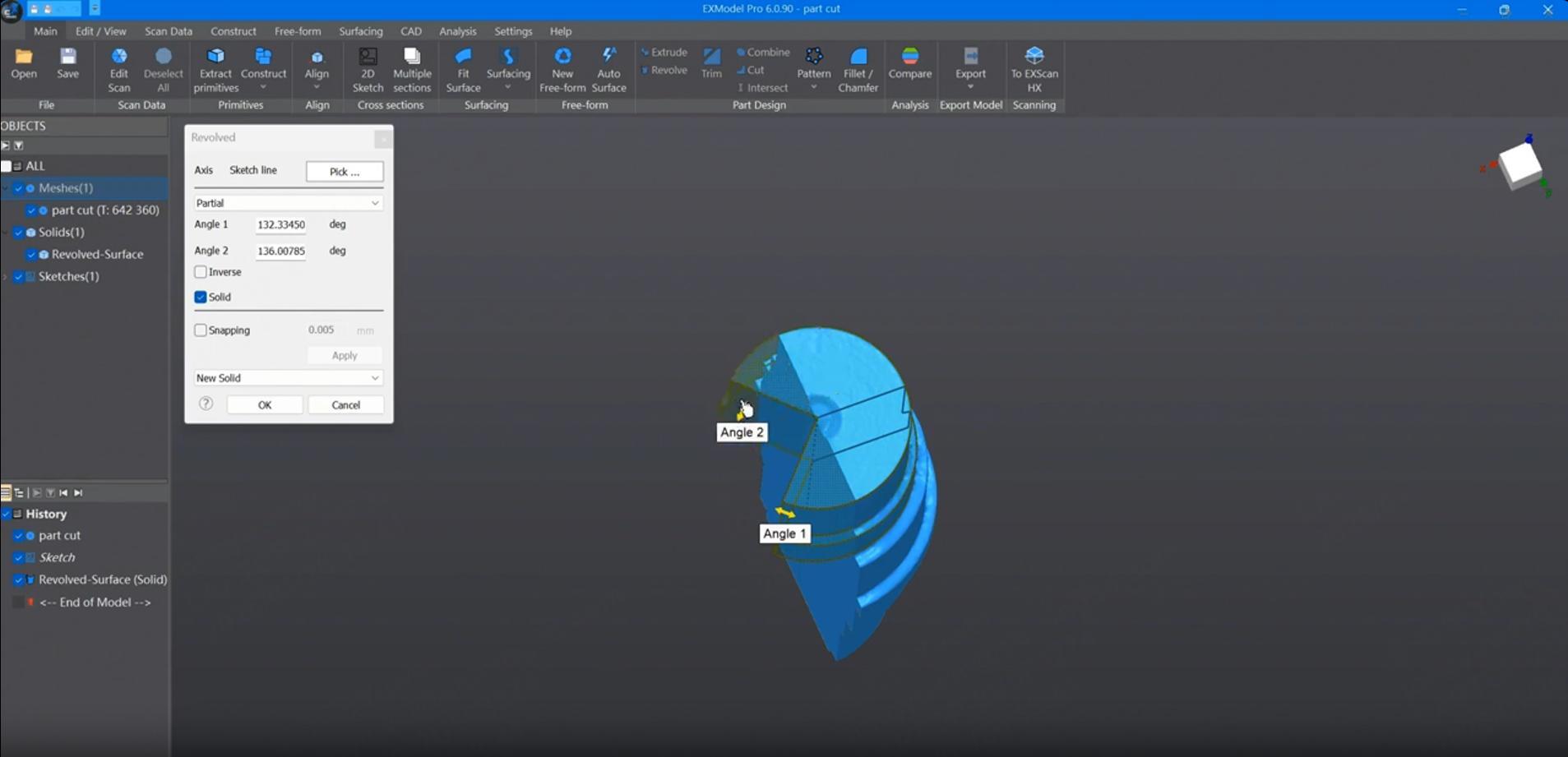
Edit a step file in EXModel
STEP (.step, .stp) — The Universal CAD Standard
STEP is an ISO-standard format that enables seamless data exchange between different CAD systems while retaining parametric information. STEP is widely used because it ensures high compatibility and reliable transfer of design intent.
- Strengths: Open standard, maintains design intelligence
- Typical uses: Multi-software collaboration, manufacturing, engineering analysis
IGES (.igs, .iges) — Legacy CAD Exchange
IGES is an older CAD format that can store both 2D and 3D data, commonly used in legacy systems.
Strengths: Supports curves, surfaces, and assemblies
Limitations: Less reliable for highly complex models
Typical uses: Data exchange in older CAD systems, archival
Parasolid (.x_t, .x_b) — Accurate Solid Geometry
Parasolid, developed by Siemens, is widely used in professional CAD and CAM software for precise solid modeling. Parasolid is particularly useful when complex geometry and parametric features must be preserved.
-
Strengths: High accuracy, robust support for complex solids
-
Typical Uses: SolidWorks, NX, Fusion 360, CAM workflows
Other CAD Formats (SLDPRT, F3D, CATPart)
Many CAD systems also use proprietary formats:
- SLDPRT (SolidWorks), F3D (Fusion 360), CATPart (CATIA)
- Typically used within the same CAD ecosystem
- Can be exported to STEP or IGES for cross-platform sharing
Conclusion: Unlock the Full Potential of 3D Data with SHINING 3D Solutions
Navigating the world of 3D file formats can be overwhelming, but understanding the roles of each type is essential for efficient 3D scanning workflows.
- Point cloud formats capture the most faithful representation of reality, serving as the foundation for measurement, inspection, and reverse engineering.
- Mesh formats translate point clouds into surfaces that are ready for 3D printing, visualization, or further processing.
- CAD formats preserve the design intent, enabling engineers to edit, simulate, and manufacture with precision.
With SHINING 3D’s full line of 3D scanners, you can capture high-quality point clouds for any application. Our EXModel software streamlines reverse engineering, turning scanned meshes into editable CAD models, while SHINING 3D Inspect module makes dimensional inspection and quality control faster and more accurate.
By leveraging the right file formats and our integrated solutions, professionals can streamline workflows, enhance accuracy, and accelerate product development—from initial scanning and inspection to reverse engineering and digital manufacturing.
Frequently Asked Questions About 3D File Formats
1. What is the most common 3D file format?
The most widely used 3D file format is STL, especially in 3D printing. STL files store surface geometry using triangles and are supported by nearly all slicing software and printers. However, they do not include color or material information.
2. What is the difference between STL and 3MF?
The main difference between STL and 3MF is the amount of information stored.
STL only stores geometry, while 3MF can include colors, materials, textures, and even print settings in a single file. For advanced or multi-color 3D printing, 3MF is generally the better choice.
3. What file format is best for 3D printing?
For basic printing, STL remains the industry standard due to its simplicity and compatibility.
For more advanced workflows that require color, material control, or metadata, 3MF is recommended.
4. What is the difference between mesh and CAD file formats?
Mesh formats (STL, OBJ, PLY, GLB) describe only the surface shape of an object using polygons.
CAD formats (STEP, IGES, Parasolid) store parametric and engineering information, such as dimensions, features, and assembly relationships.
Mesh files are ideal for visualization and printing, while CAD files are essential for manufacturing and design modification.
5. What file format should engineers use for manufacturing?
Engineers typically use STEP files for manufacturing and cross-platform collaboration. STEP preserves parametric data and is widely supported across major CAD systems.
IGES is also used in some legacy workflows but is less reliable for complex models.
6. Can you convert between 3D file formats?
Yes, most 3D software allows conversion between formats. However, converting from CAD to mesh may result in loss of parametric information, while converting mesh back to CAD often requires reverse engineering.
Discover the product you're looking for
- Full specifications
- Using scenarios
- Key features
- Even comes with a bundle!
Share on Social Media


